 21. September 2026
HOW TO RECOGNIZE A FAKE QR CODE BEFORE SCANNING IT.
Scanning QR codes makes it easier to visit sites, access menus, and make payments. Scanning is now a popular way of interacting with digital content at restaurants, parking spots, product packaging, posters, or advertising materials. Nevertheless, fraudsters have been known to replace legitimate QR codes with those that lead to phishing pages or the theft of personal data. Learning how to distinguish dangerous QR codes can be useful for you.
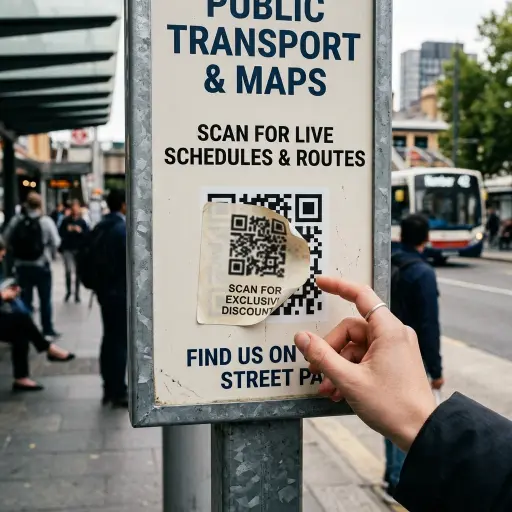
1. Check for physical tampering
QR codes in public places can be covered with malicious stickers that redirect users to fraudulent websites. Before scanning, inspect the QR code and the surface it appears on for signs of tampering. Look for:
- Stickers placed over another QR code
- Peeling or raised edges
- Unusual printing or mismatched colors
- A code that looks different from the surrounding material
- Signs that the original code has been covered or replaced
If the QR code appears tampered with, do not scan it. Ask the business or organization to confirm that the code is legitimate.
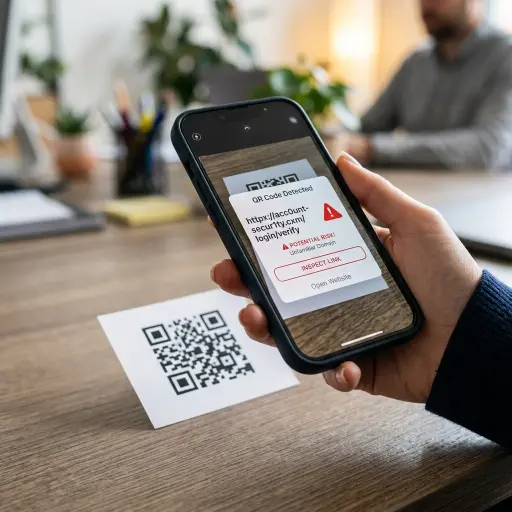
2. Preview the destination URL
After scanning a QR code, your phone may show the destination URL before opening the website. Check the address carefully instead of opening it immediately. Watch for:
- Misspelled domain names
- Unfamiliar websites
- Suspicious or misleading domains
- URLs that do not match the business or organization associated with the QR code
For example, if a restaurant’s payment QR code directs to an unrelated domain, close the notification rather than continuing. A familiar-looking URL does not automatically mean a website is safe. If the destination seems suspicious, access the organization’s official website through a trusted source instead.
3. Consider the source and context
Be cautious with QR codes on flyers, messages, or advertisements that create a sense of urgency or ask for sensitive information. Scammers may use them for fake prizes, account verification requests, financial offers, or other unexpected requests.
If a QR code claims to be related to a utility bill, delivery problem, bank account, or government service, do not feel pressured to scan it immediately. Visit the organization’s official website directly or contact them using a verified phone number to confirm the request.
4. Use a trusted QR scanner
Most modern smartphones can scan QR codes using their built-in camera apps. Some security-focused apps and browsers may also provide additional protection by checking links before they are opened.
If you use a third-party QR scanner, choose one from a reputable provider and keep it updated. However, a scanning app should not replace basic caution. Always review the destination URL and consider where the QR code came from before opening the link.
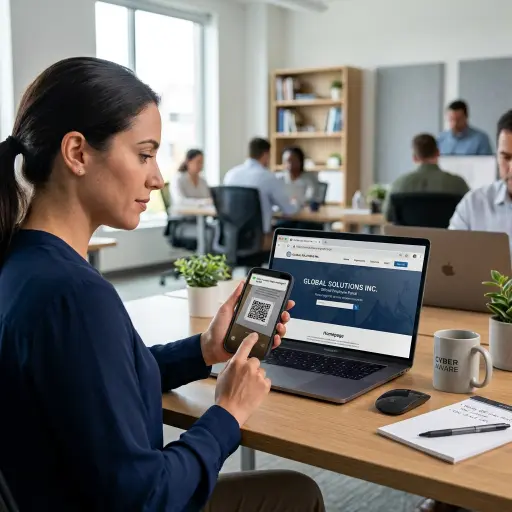
What to do if a QR code looks suspicious
If a QR code appears altered, leads to an unexpected website, or is connected to an unusual request, do not open the link. Instead:
- Close the QR notification.
- Avoid entering passwords, payment details, or other personal information.
- Visit the organization’s official website directly.
- Contact the business or organization through a verified channel if necessary.
Conclusion
Recognizing a fake QR code starts with checking before you scan. Look for physical tampering, preview the destination URL, and consider whether the source and request are legitimate. Taking a few seconds to verify a QR code can help prevent an avoidable security problem.
Sources: