




Online harassment can feel like a silent storm, unseen by the world around you but deeply distressing to experience. Whether it is a stranger on the other side of the globe or someone in your local community, the digital world often makes it easy for others to cross boundaries.
Because the internet is borderless, reporting can feel confusing. However, there is a universal roadmap you can follow to regain control. Here is a comprehensive guide on how to report online harassment, regardless of where you are.

1. The Golden Rule: Document Before You Delete
Your first instinct might be to delete the message or block the person immediately to make the pain go away. Wait. Before you take any action, you must preserve the evidence. Without it, platforms and police may be unable to help:
- Take Screenshots: Capture everything, the harassing messages, the perpetrator’s profile (including their username and ID), and the date/time.
- Save URLs: Copy the direct links to specific posts, profiles, or comments.
- Don’t Edit: Do not crop or edit screenshots; keep the full context of the screen if possible.
- Use a Log: Keep a simple diary of events. Note when the harassment started, how often it happens, and the emotional impact it is having on you.
2. Immediate Safety Steps to stop online harassment
- Don’t Retaliate: Harassers often thrive on “reactive abuse.” Responding emotionally gives them exactly what they want. If you must respond, keep it brief and factual: “Do not contact me again.”
- The Power of the ‘Block’ Button: Once you have documented the evidence, use the platform’s block feature. This is your first line of defense to stop the immediate influx of toxicity.
- Secure Your Accounts: Sometimes harassment leads to “doxing” (sharing your private info) or hacking. Change your passwords and enable Two-Factor Authentication (2FA) on all your accounts.
3. Reporting online harassment to the social media Platform
Almost every social media site, game, or forum has “Community Guidelines.” If someone is harassing you, they are likely breaking these rules:
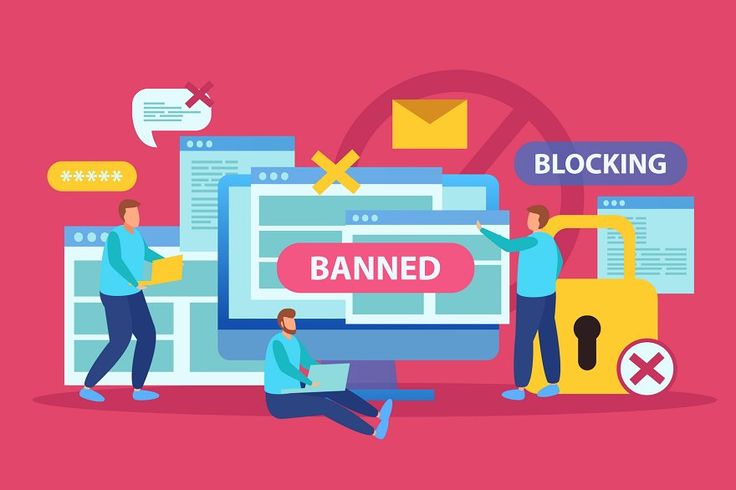
- In-App Reporting: Look for the three dots (…) or a “Report” button next to the specific comment or profile. Select “Harassment” or “Bullying” as the reason.
- Why this matters: Platforms can ban users, remove content, and, in some cases, provide data to law enforcement if a crime is committed.
- App-Specific Guides: Use the PEN America Field Manual or eSafety Australia’s guides to find specific reporting links for Facebook, X (Twitter), Instagram, TikTok, and Discord.
4. Reporting online harassment to Legal Authorities
If the harassment involves threats of violence, stalking, hate crimes, or the sharing of intimate images without consent, it is no longer just “internet drama”, it is a crime:
- If you are in immediate danger: Call your local emergency services (911 in the US, 999 in the UK, 000 in Australia, etc.).
- FBI & IC3 (USA): For cybercrimes in the United States, you can file a report with the Internet Crime Complaint Center (IC3) at ic3.gov.
- The Cyber Helpline (UK/International): A self-help service that provides specific action plans for different types of online harm. Visit thecyberhelpline.com.
- eSafety Commissioner (Australia): One of the world’s most robust systems for reporting. They can legally compel platforms to remove harmful content. Visit esafety.gov.au/report.
- StopBullying.gov (USA): Excellent for school-aged children and parents to understand the intersection of school policy and law.
5. Specific Resources for Nigeria
In Nigeria, the legal landscape for cybercrime is governed by the Cybercrimes Act. If you are being targeted:
- Nigerian Police Force (NPF) Cybercrime Reporting: Use the official Scamwatch Nigeria portal (scamwatch.ng) to file a report.
- NITDA Code of Practice: The National Information Technology Development Agency (NITDA) requires social media platforms to have a dedicated channel for Nigerians to report harmful content, with a mandate to act within 24 hours for certain violations (like “revenge porn”).
- National Human Rights Commission (NHRC): If the harassment involves a violation of your fundamental rights, you can use the HRAT portal (report.nhrc.gov.ng).
6. Universal Support Resources
You do not have to carry the weight of this alone. There are global organizations dedicated to supporting victims of online abuse:
- National Bullying Helpline (UK): Provides a helpline for those experiencing bullying at work, school, or online (nationalbullyinghelpline.co.uk).
- Heart Mob (International): A platform by Right to Be (formerly Hollaback!) where you can share your story and receive “vetted” support and resources from a community of allies.
- Child Helpline International: If you are a minor, you can find a helpline in your specific country by visiting childhelplineinternational.org.
Conclusion
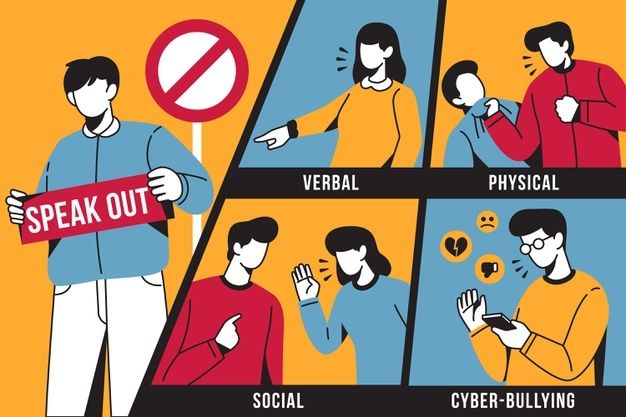
Remember, online harassment is designed to make you feel small and isolated. By documenting and reporting, you are reclaiming your digital space and holding the harasser accountable. It is not your fault, and help is available. This guide is meant for general information and learning only and is not intended as professional advice.